![paiger-logo-white (1).png]](https://help.paiger.co/hs-fs/hubfs/paiger-logo-white%20(1).png?height=40&name=paiger-logo-white%20(1).png)
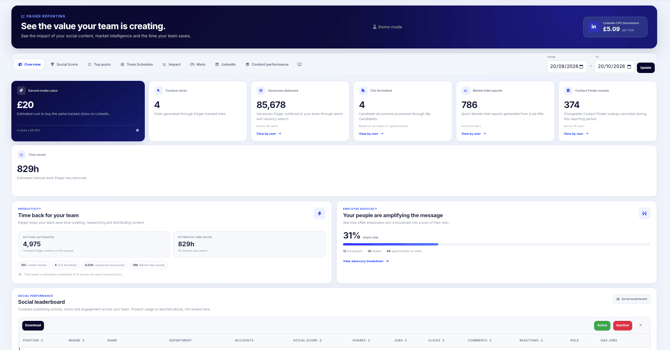
The Reports Overview brings together activity, engagement and productivity metrics so you can see how your team is using Paiger.
Find it in Paiger: Reports > Overview
What you can see-
Earned media value: an estimate of what it might cost to buy the same number of Paiger-tracked clicks using the displayed LinkedIn cost-per-click (CPC) benchmark. This is not revenue or a measure of all social reach.
-
Tracked clicks: visits generated through links Paiger can track.
-
Market Intel reports: the number of quick Market Intel reports generated by entering a job title. This count excludes Hiring Market Reports.
-
Time saved: a directional estimate based on qualifying automated actions, using 10 minutes per action.
-
Depending on your company setup, you may also see vacancies delivered, CVs formatted, content shared and Contact Finder reveals.
Some cards depend on which Paiger features your organisation uses, so the Overview may differ.
How to use the report
-
Open Paiger and go to Reports -> Overview.
-
Choose the reporting period using the date controls.
-
Review the headline figures, then explore the productivity and advocacy sections.
-
Where a card has “View by user”, select it to see who contributed to the total.
-
Compare equivalent periods to understand whether usage and engagement are growing.
How to interpret the results
-
Look at actions and clicks together: high usage with few tracked clicks may mean the team is publishing regularly but needs to refine its content and calls to action.
-
Use the user breakdowns to identify people who might benefit from training or support, not just to rank employees.
-
Contact Finder reveals represent chargeable lookups; failed lookups that Paiger has refunded are not counted.
Earned media value here is calculated from tracked clicks multiplied by a CPC benchmark. It does not include an estimate for impressions, reactions, pipeline or placements.