![paiger-logo-white (1).png]](https://help.paiger.co/hs-fs/hubfs/paiger-logo-white%20(1).png?height=40&name=paiger-logo-white%20(1).png)
In these instructions, we'll take a look at adding Paiger to the entity that is named "Job" by default, although the naming of this entity varies within agencies and may be named "Projects" or "Vacancies".
Each Bullhorn account has up to five job entities, typically used to differentiate between contract type eg. perm, contract, temp. We recommend adding these to all the job entities.
From View Layout screen, select “Job” from the Field Map Entity drop-down.
From the Job View Layout click on the Custom Tabs tab.
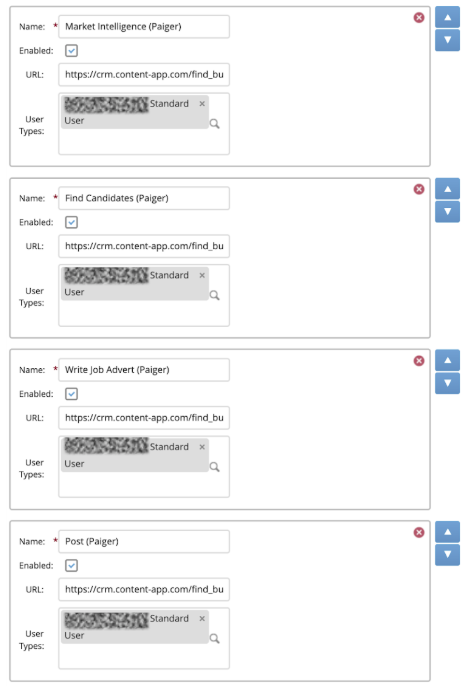
From here you will need to add five new tabs. To add these, click “Add New”.
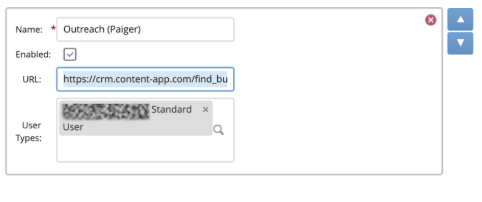
The details for each of the tabs you will need to add are in the table below.
|
Tab Name |
Enabled |
URL |
User Types |
|
Market Intelligence (Paiger) |
Yes |
https://crm.content-app.com/find_bullhorn_user_in_contentapp_api/action_vacancies_method_get_market_intel |
Add the user types you would like to be able to use this tab. We recommend limiting access to recruiters, not system admins, to avoid clutter. |
|
Find Candidates (Paiger) |
Yes |
https://crm.content-app.com/find_bullhorn_user_in_contentapp_api/action_boolean_method_default |
Add the user types you would like to be able to use this tab. We recommend limiting access to recruiters, not system admins, to avoid clutter. |
|
Write Job Advert (Paiger) |
Yes |
https://crm.content-app.com/find_bullhorn_user_in_contentapp_api/action_writer_method_default?post_type=job |
Add the user types you would like to be able to use this tab. We recommend limiting access to recruiters, not system admins, to avoid clutter. |
|
Post (Paiger) |
Yes |
https://crm.content-app.com/find_bullhorn_user_in_contentapp_api/action_social_method_start_page |
Add the user types you would like to be able to use this tab. We recommend limiting access to recruiters, not system admins, to avoid clutter. |
|
Outreach (Paiger) |
Yes |
https://crm.content-app.com/find_bullhorn_user_in_contentapp_api/action_links_method_default |
Add the user types you would like to be able to use this tab. We recommend limiting access to recruiters, not system admins, to avoid clutter. |
You can change the order in which these tabs appear by using the up and down arrows.
Once completed, click “Save”.