![paiger-logo-white (1).png]](https://help.paiger.co/hs-fs/hubfs/paiger-logo-white%20(1).png?height=40&name=paiger-logo-white%20(1).png)
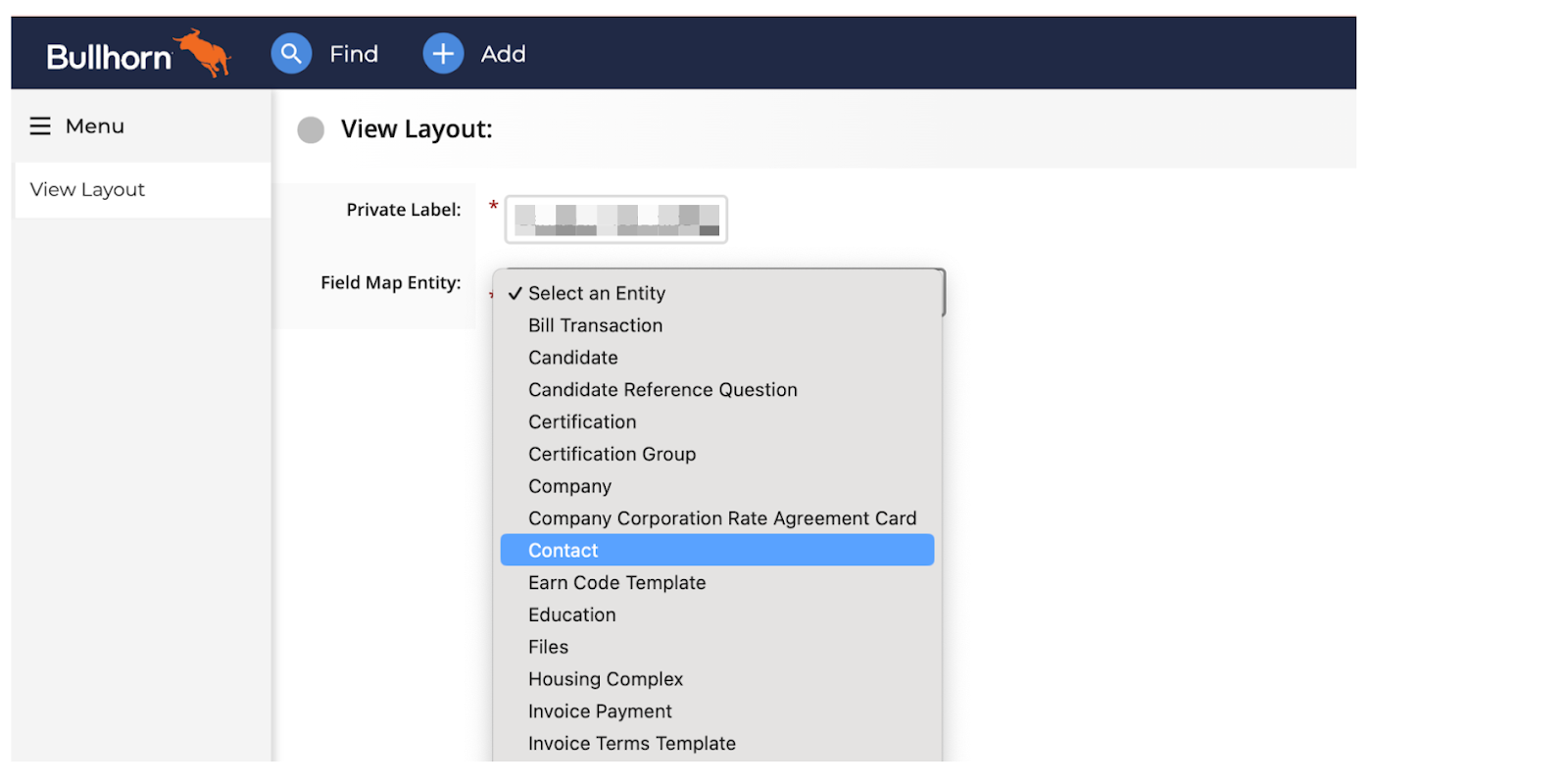
From the View Layout screen, select “Contact” from the Field Map Entity drop-down.
Adding the Paiger Tab
From the Contact View Layout click on the Custom Tabs tab.
From here, click “Add New”.
Complete the tab with the following information
Name: Outreach (Paiger)
Enabled: Yes
URL: https://crm.content-app.com/find_bullhorn_user_in_contentapp_api/action_links_method_default
User Types: Add the user types you would like to be able to use this tab
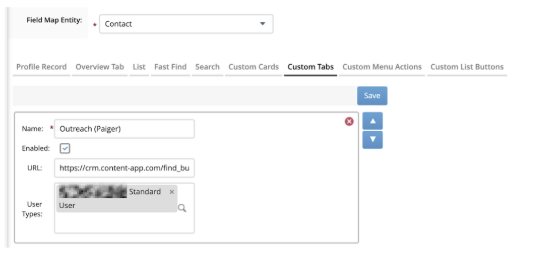
Once completed, click “Save”.